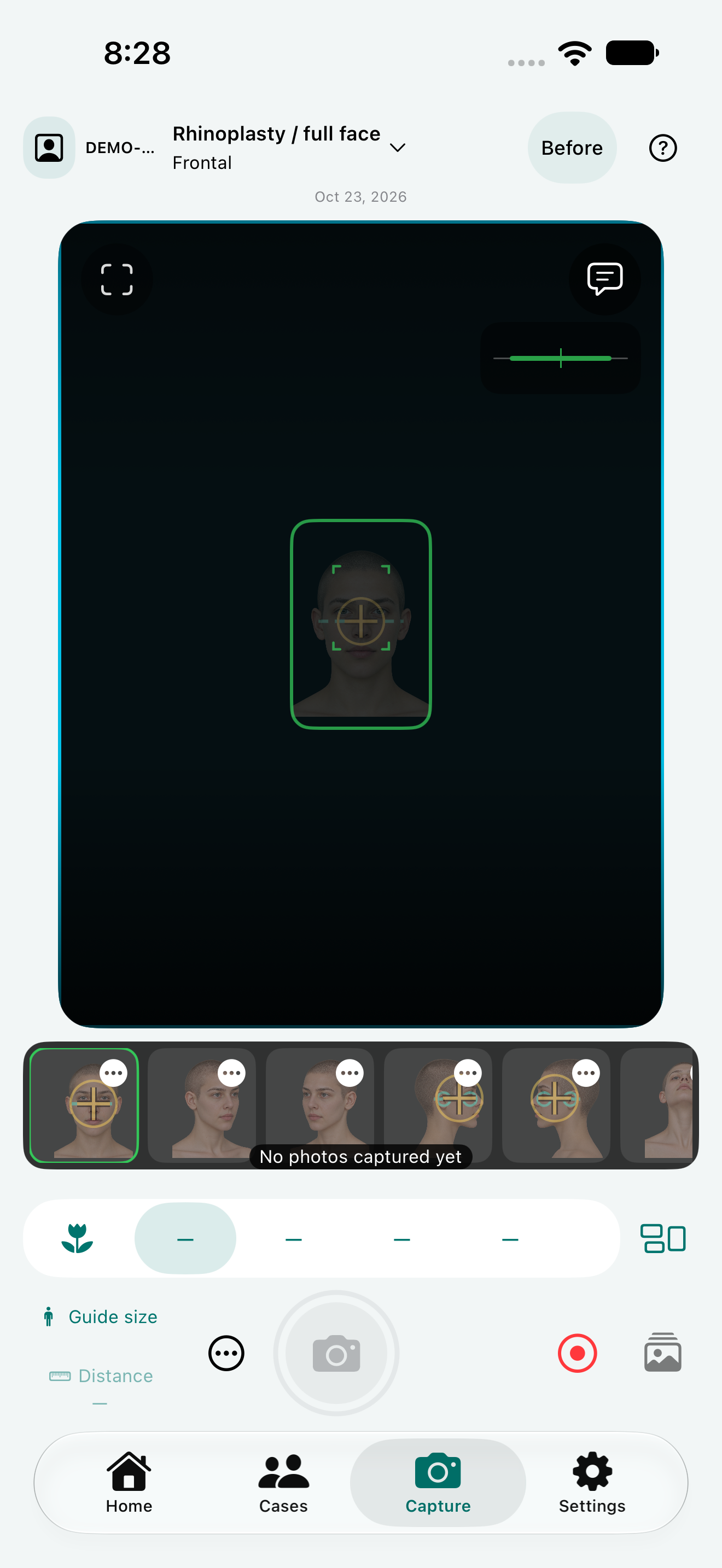
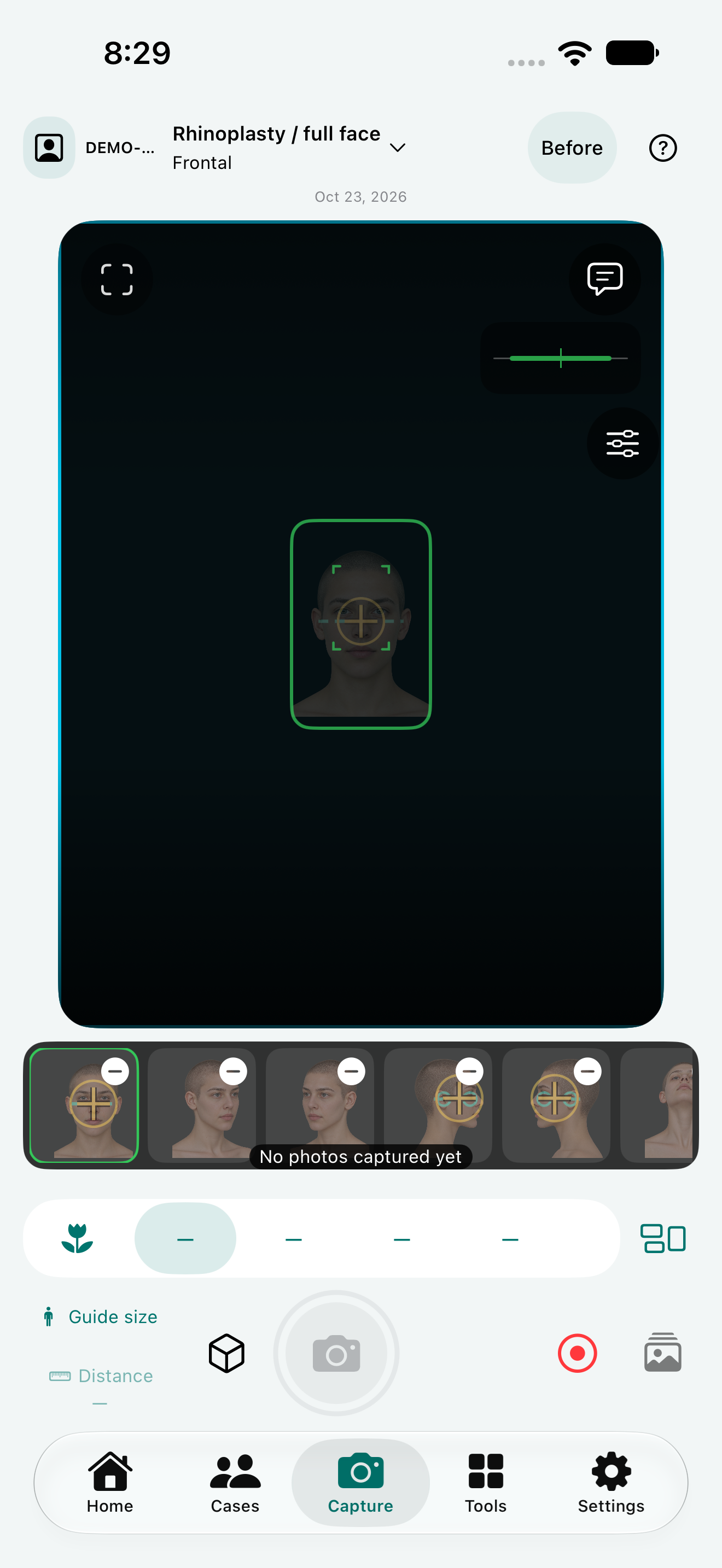
View guidance, patient archives, comparison albums and practical exports, together in the native app.
Photography in the native app
01
Guided photography
Choose anatomical views and configurable protocols, with patient positioning, lens, distance and framing guides where your device supports them.
02
Anatomical view library
Face and neck, torso, upper and lower limbs, hands and procedure-specific expression views in the iPhone app.
03
Editable before-and-after albums
Edit album titles, Before/After roles and photo selections, and keep revision history. The recorded capture phase stays unchanged.
04
2D photo matching
Match a pair automatically or adjust it manually with uniform scale, translation and optional rotation. Originals stay separate; this does not correct 3D perspective.
05
Baseline photo overlay
Show a previous original over the camera view to help repeat framing and patient position.
06
Patient archives
Keep each patient’s visits, photography sessions, images and documents together for review.
07
Photo and document annotations
Add drawing, text, arrows and circles directly on photos and document pages while retaining the original files.
08
Review imported photos
Zoom in on imported photos and confirm their capture date and view before adding them to the archive.
09
Presentation-ready exports
The iPhone app supports selected-photo PDF, before-and-after layouts, printing and optional physician branding.
A previous photo series as your guide
Choose a previous series from the same patient's Consultation, Before or After sessions. Changing the capture view loads its corresponding view and side from that series. A missing view is reported rather than replaced with an unrelated photo. Adjust opacity or select None.
Defaults and session adjustments
Main Settings holds the usual guide series, view set, room lighting and background notes, and print-frame preference. Consultation, Before and After sessions can have their own capture adjustments. Changing a session does not silently change global defaults; Save as Default is explicit.
Adjust the views without deleting photos
Add or remove views in a capture series without deleting their saved patient photographs.
An optional print frame, preserved originals
Show the print frame while capturing when useful. Export the full photo or create a crop using the print frame recorded at capture. Cropping creates a derivative and keeps the original. Older photos without reliable frame information require an explicit safe fallback.
Positioning help beside the guide
Open help for the current view to see its guide image and concise positioning tips. Learn More opens the existing explanation and references. Repeatable photographs still depend on lighting, distance, positioning and careful review.
Annotation improvements under verification
Review images with explicit drawing tools and Save or Discard controls; keep the original photograph intact.
NikoFrame is in development and evaluation. A public version is coming soon. NikoFrame Cloud is being prepared. Registration and public use are not active.
NikoFrame · 0.40 (87.18)
Face and neck photography series
Updated series names and positioning guides for the private NikoFrame 0.40 (87.18) test build.
Rhinoplasty · Full-face Series
Rhinoplasty · Nasal Close-ups
Facelift · Facial Series
Facelift · Face & Neck Series
To reduce repositioning, capture all frontal views first, then the right oblique views including Bravo, the right lateral views including Connell and the corresponding platysma-contraction views. Repeat on the left and finish with Auersvald.
Clearer capture guidance
Full view names, separate example and setup images, and enlargable guides explain positioning. Supported lens choices remain available, and the selection is retained within the capture session without changing global defaults.
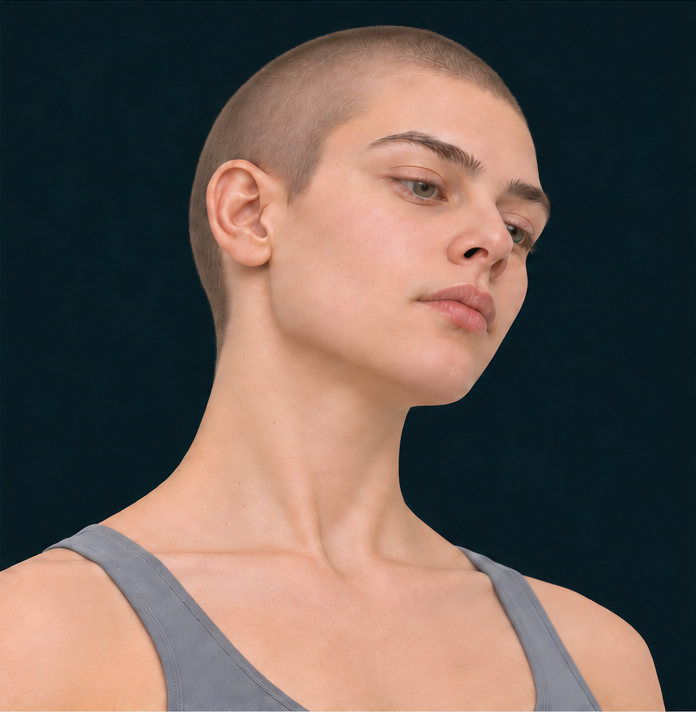
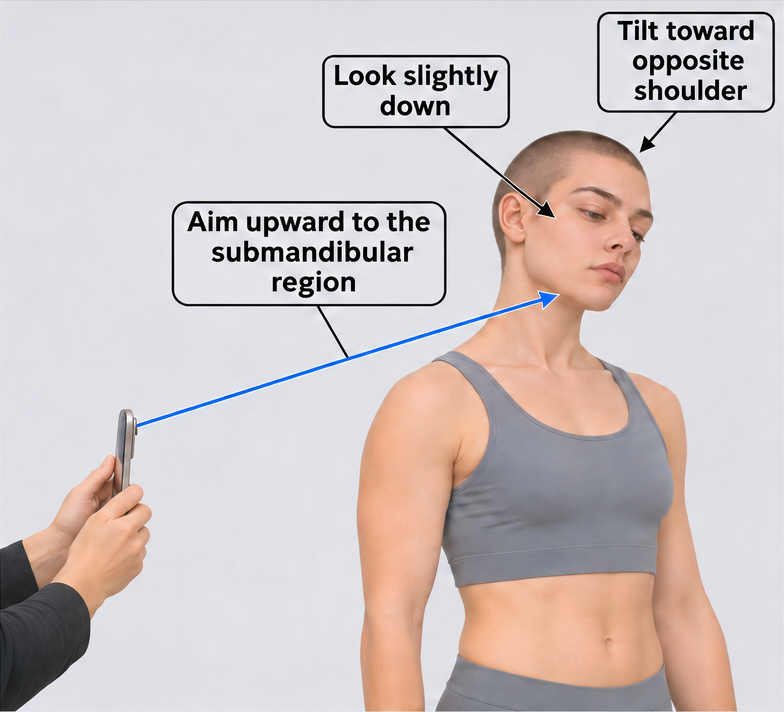
Right/Left Caudal-oblique view (Bravo)
From an oblique position, slightly flex the head forward and look down, then tilt it toward the opposite shoulder. Aim the camera toward the submandibular region. NikoFrame defaults to 5× where available, using the usual full-face photography distance; other supported lens options remain selectable.
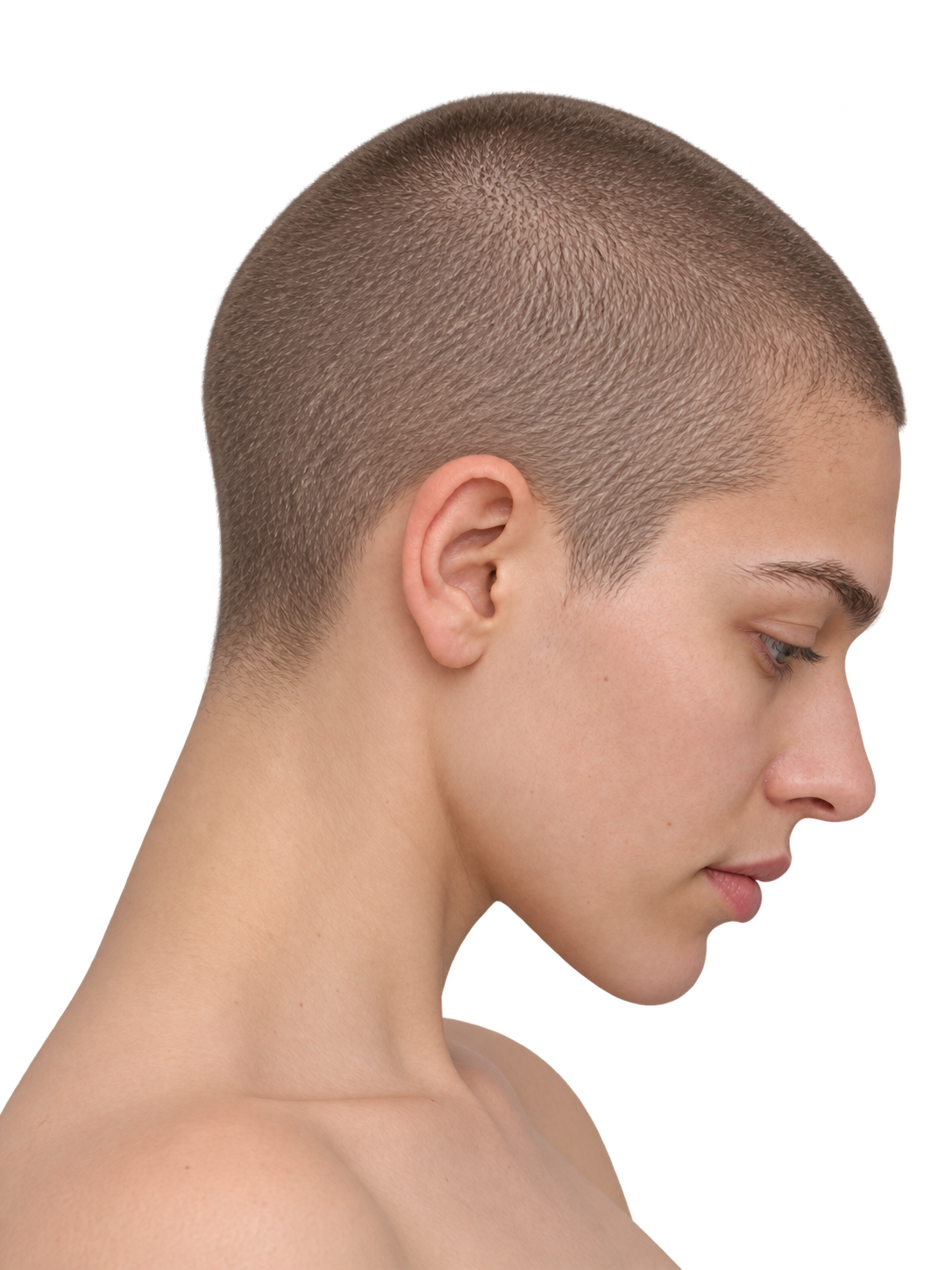
Right/Left lateral view, neck flexed (Connell)
Use the usual lateral facial photography position and distance, with the head and neck flexed. Reproduce the same pose, camera position and framing for before-and-after photographs.
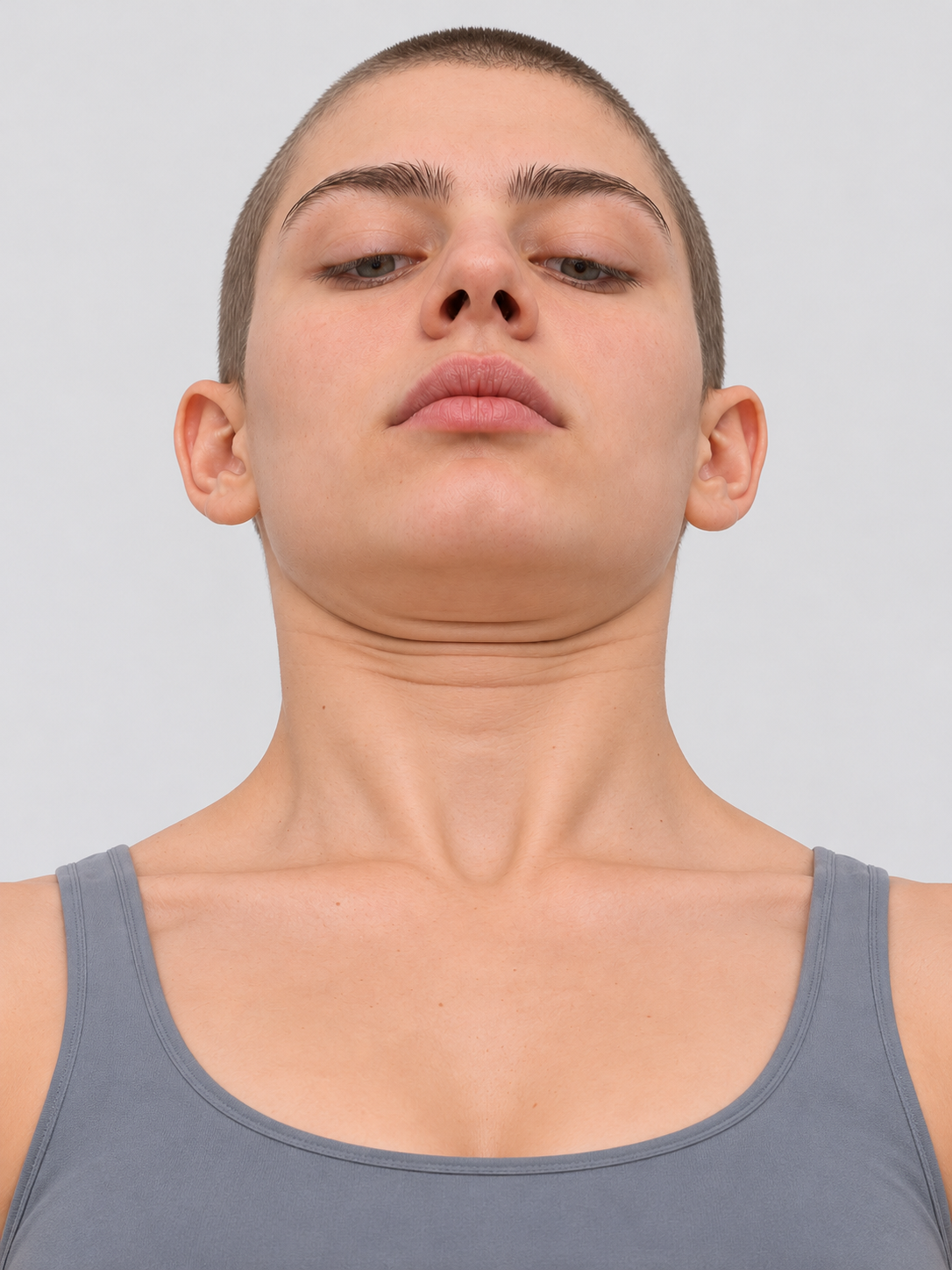
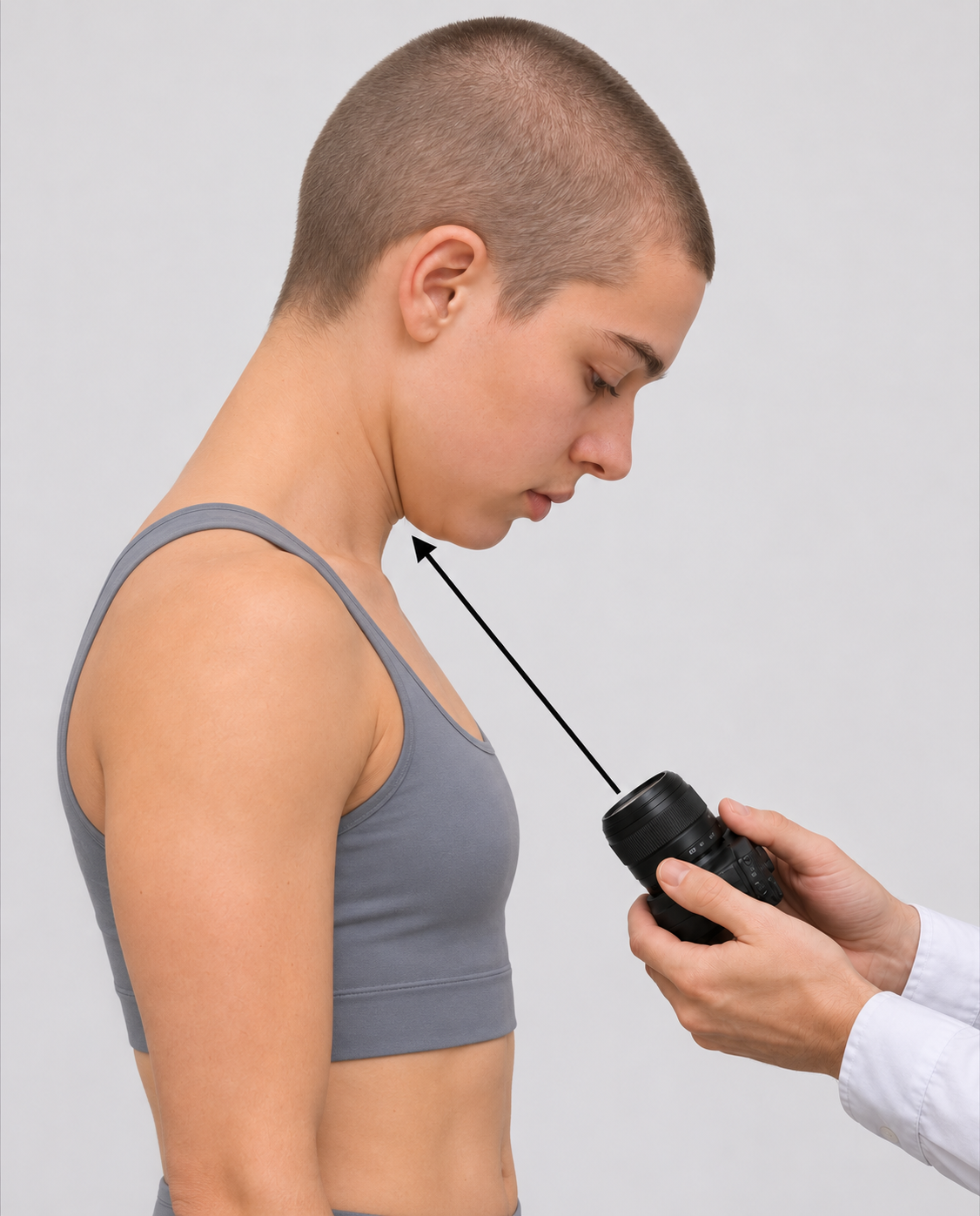
Flexed neck frontal upward view (Auersvald)
Flex the head forward and photograph from below, aiming upward toward the submandibular region. Include the lower neck and center the target within the frame. Choose the camera position for a clear view rather than a fixed chest-contact point. NikoFrame defaults to 2×; other supported lens options remain selectable.
Synthetic positioning illustrations explain the NikoFrame workflow. Lens presets depend on device capabilities and are app settings, not claims of clinical validation. Keep positioning and capture conditions consistent between sessions.
How to position the patient and camera
Right/Left Caudal-oblique view (Bravo)
Slight forward head flexion; look downTilt toward the opposite shoulderAim upward toward the submandibular region
Slight forward head flexion; look down
Tilt toward the opposite shoulder
Aim upward toward the submandibular region
Flexed neck frontal upward view (Auersvald)
Flex the head forward and photograph from below, aiming upward toward the submandibular region. Include the lower neck and center the target within the frame. Choose the camera position for a clear view rather than a fixed chest-contact point. NikoFrame defaults to 2×; other supported lens options remain selectable.
NikoFrame
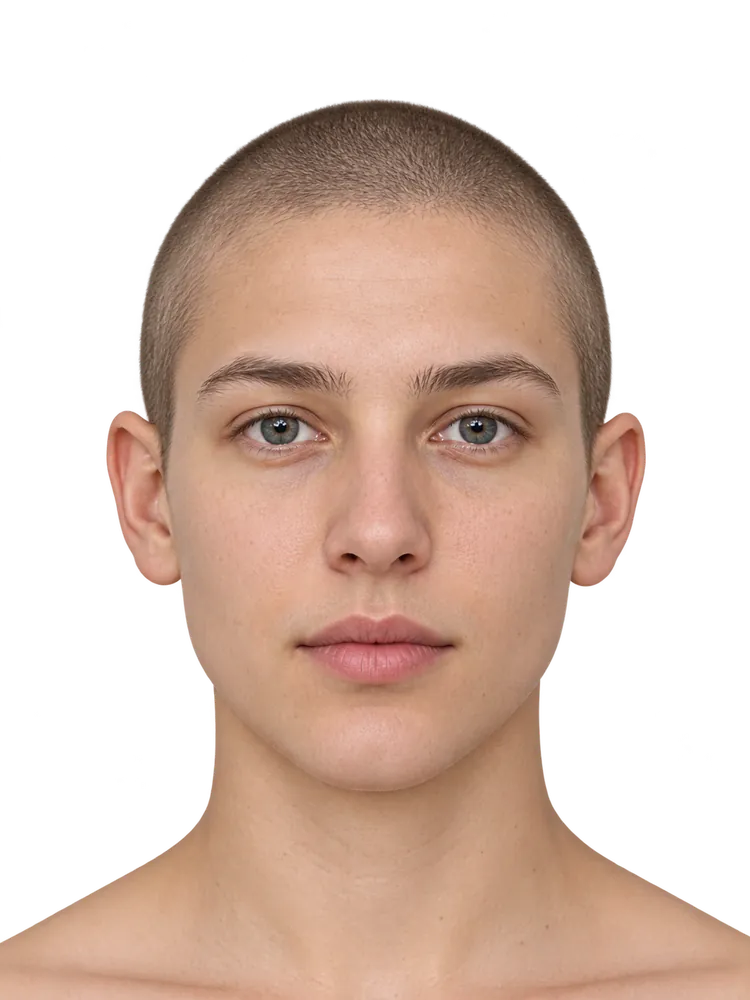
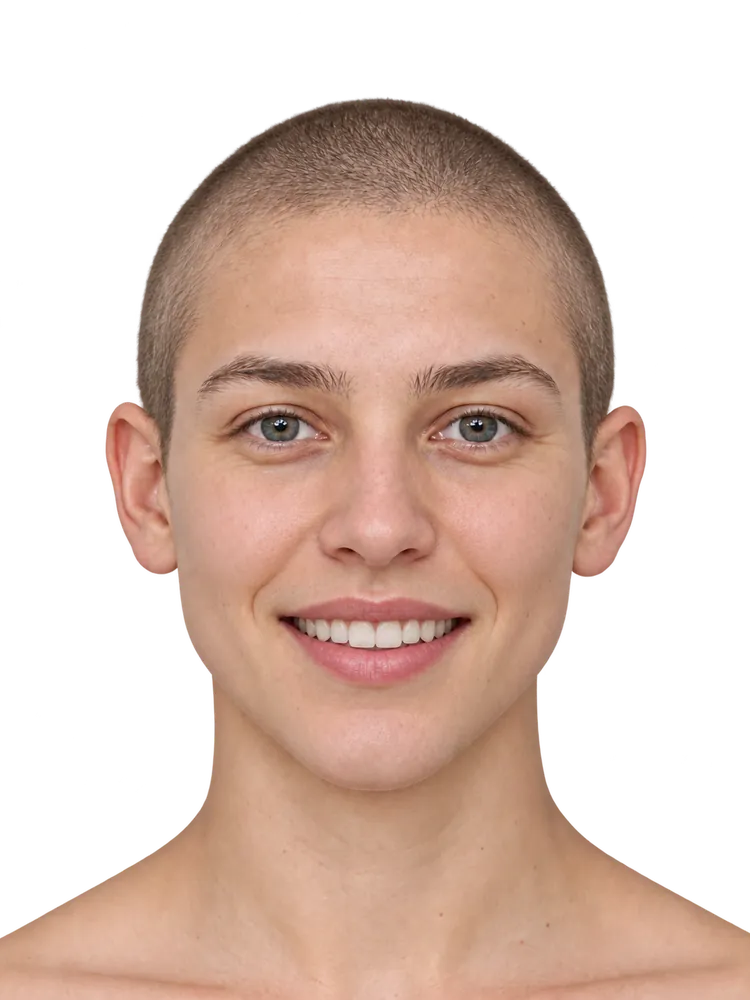
Try the comparison slider
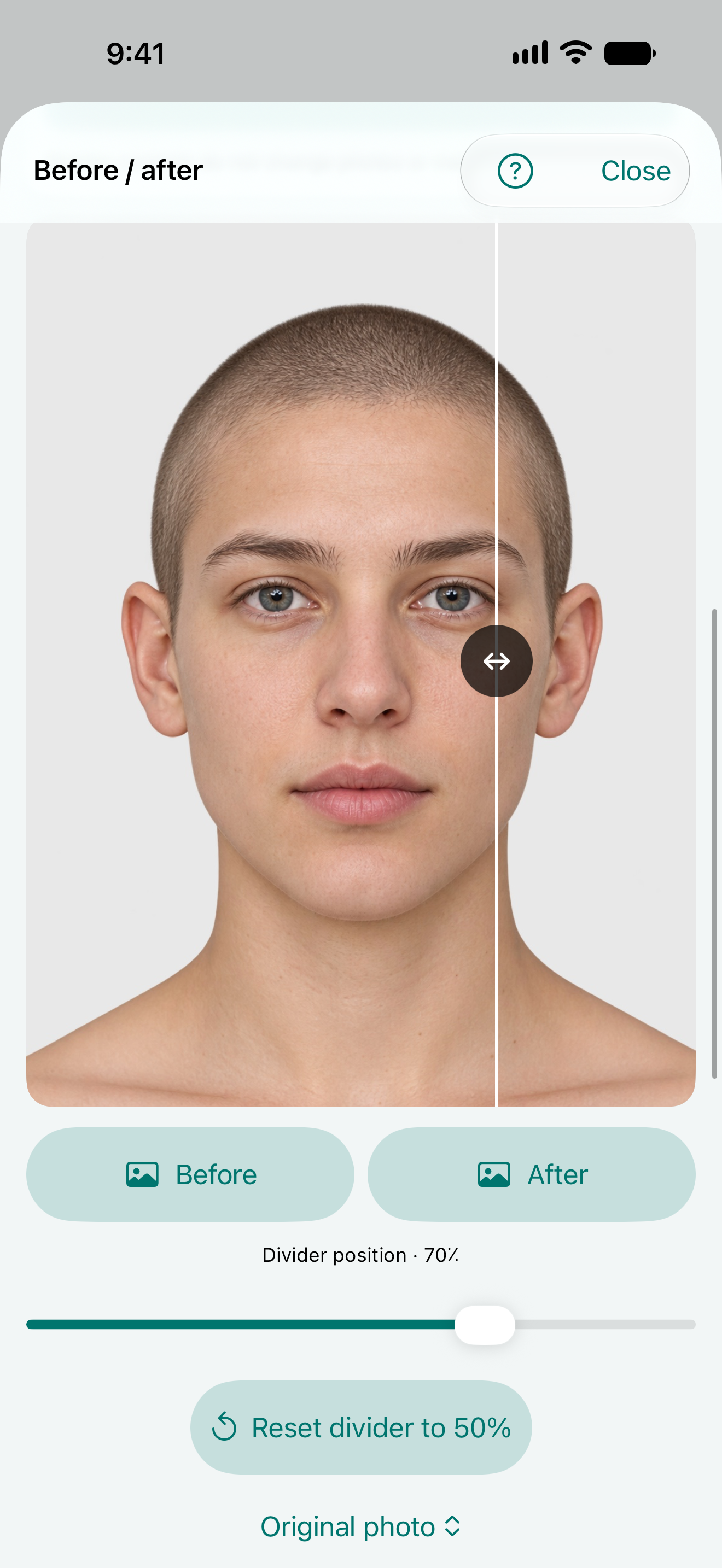
Interactive website demonstration comparing two expressions of a synthetic model. Not a patient or treatment result.
Drag the divider or use the slider. With the keyboard, use the arrow keys, Home or End.
↔
Image B · smileImage A · neutral
See the tools in the experimental app
Genuine NikoFrame Next 0.40 (87.17) Simulator screens with synthetic test images. These show software controls, not patient outcomes or clinical validation; they are not evidence of the owner-installed 87.18 or a public release.
These captures show the English interface in the light theme.
Photo editing and framing
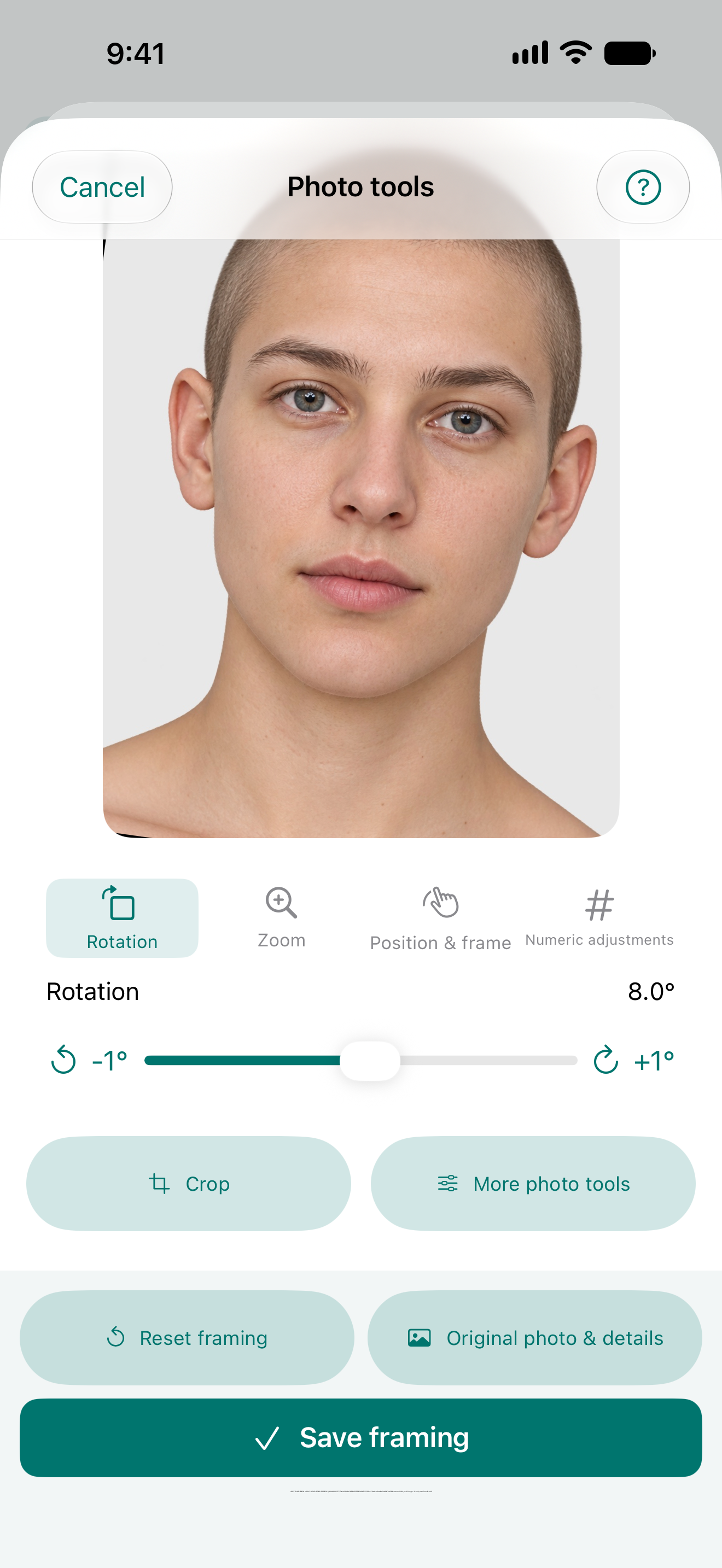
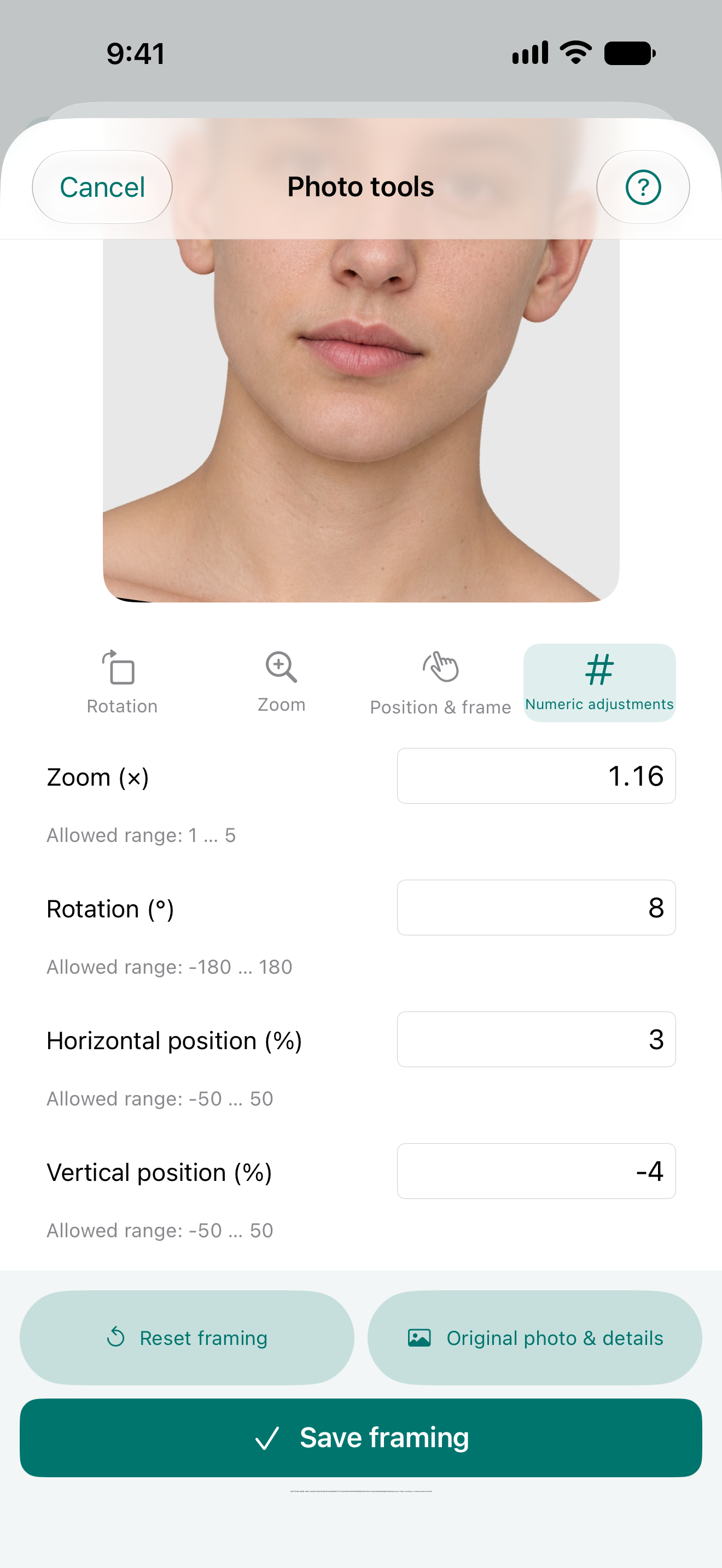
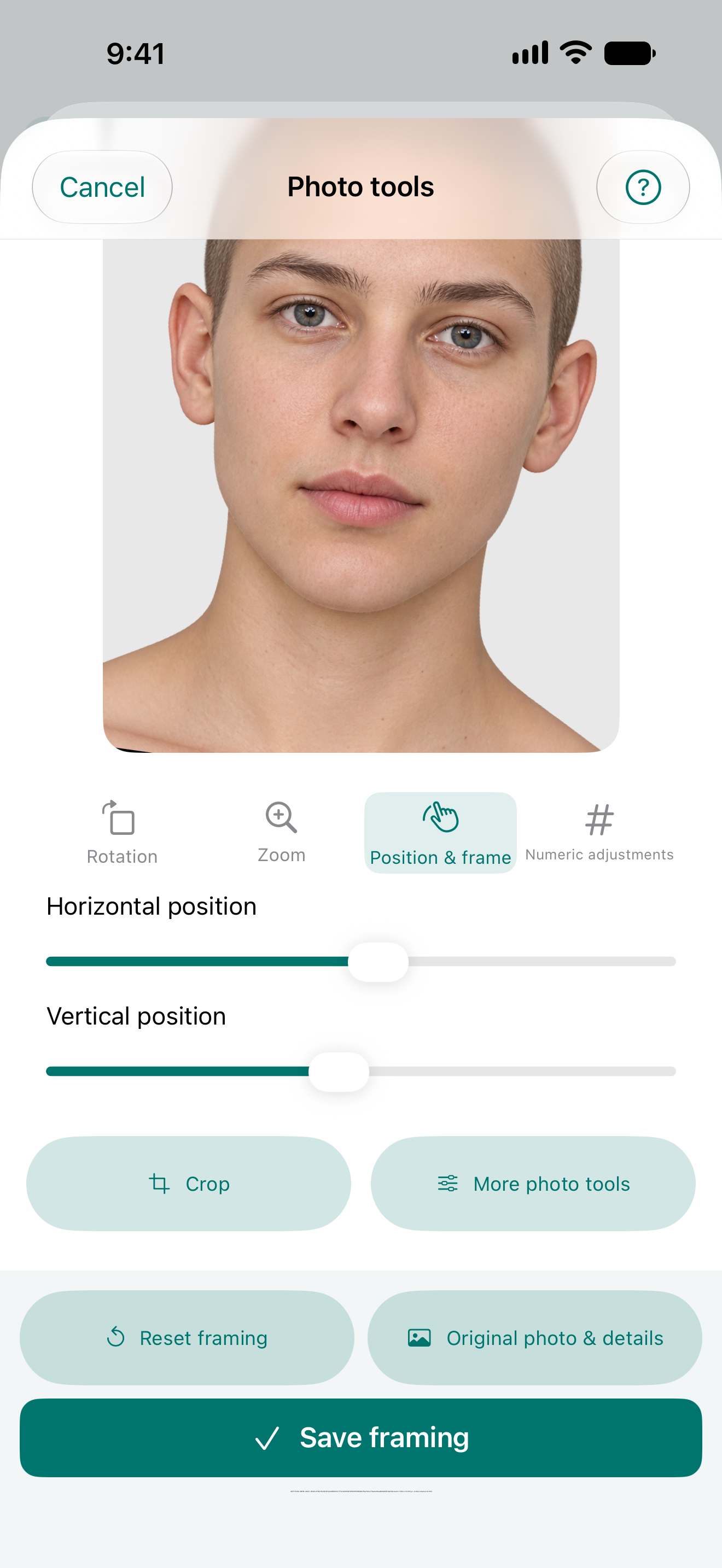
87.17 experimental · real Simulator UI · synthetic dataRotation and framing controls on a synthetic image.87.17 experimental · real Simulator UI · synthetic dataNumeric zoom and rotation settings for framing.87.17 experimental · real Simulator UI · synthetic dataHorizontal and vertical positioning controls; intentionally zoomed synthetic test image.
Before/after comparison tools
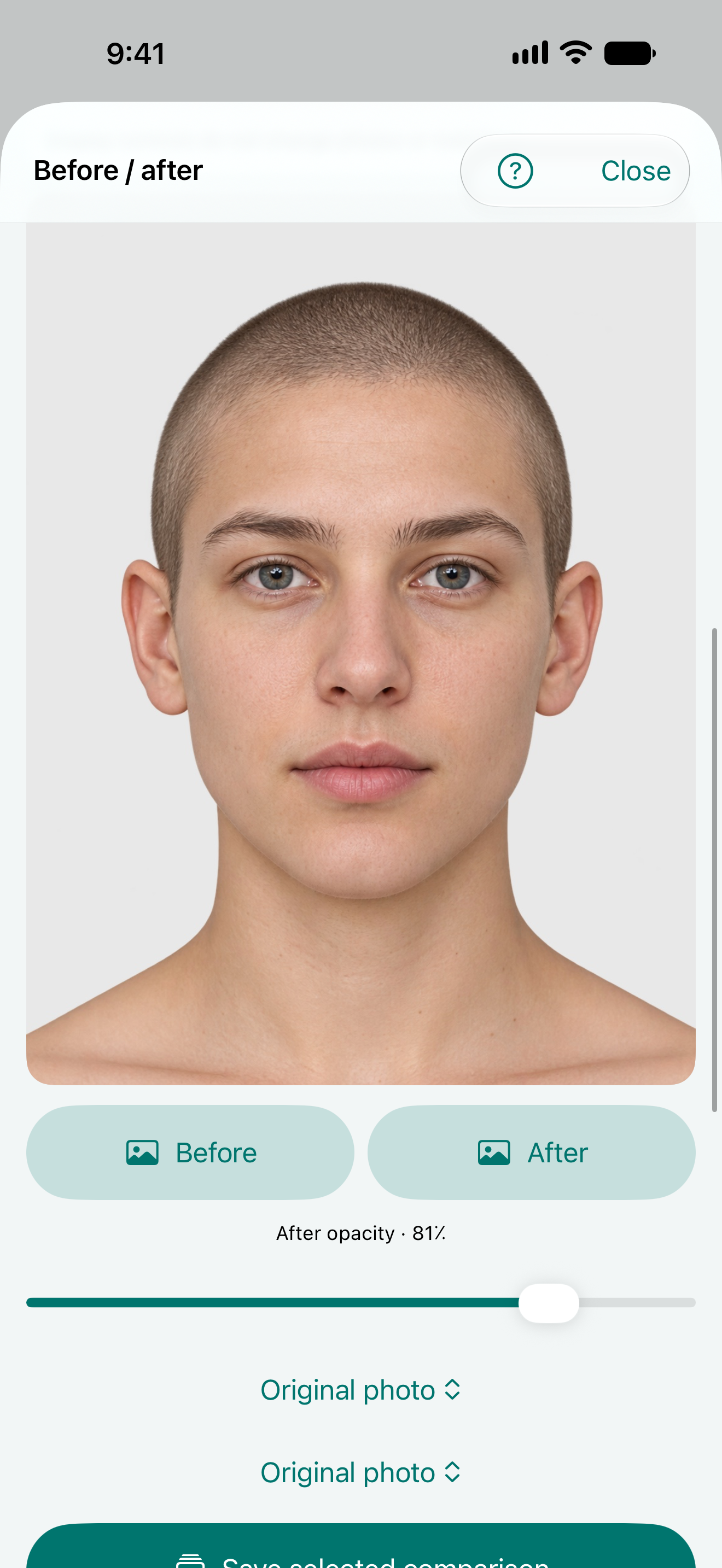
87.17 experimental · real Simulator UI · synthetic dataOverlay mode combines two synthetic test images for visual review. No treatment result is shown.87.17 experimental · real Simulator UI · synthetic dataSlider mode changes the visible divider between two synthetic test images.
Saved albums and organization
Names and dates inside these screens belong to synthetic test fixtures. Other experimental entries visible here are outside this demonstration.
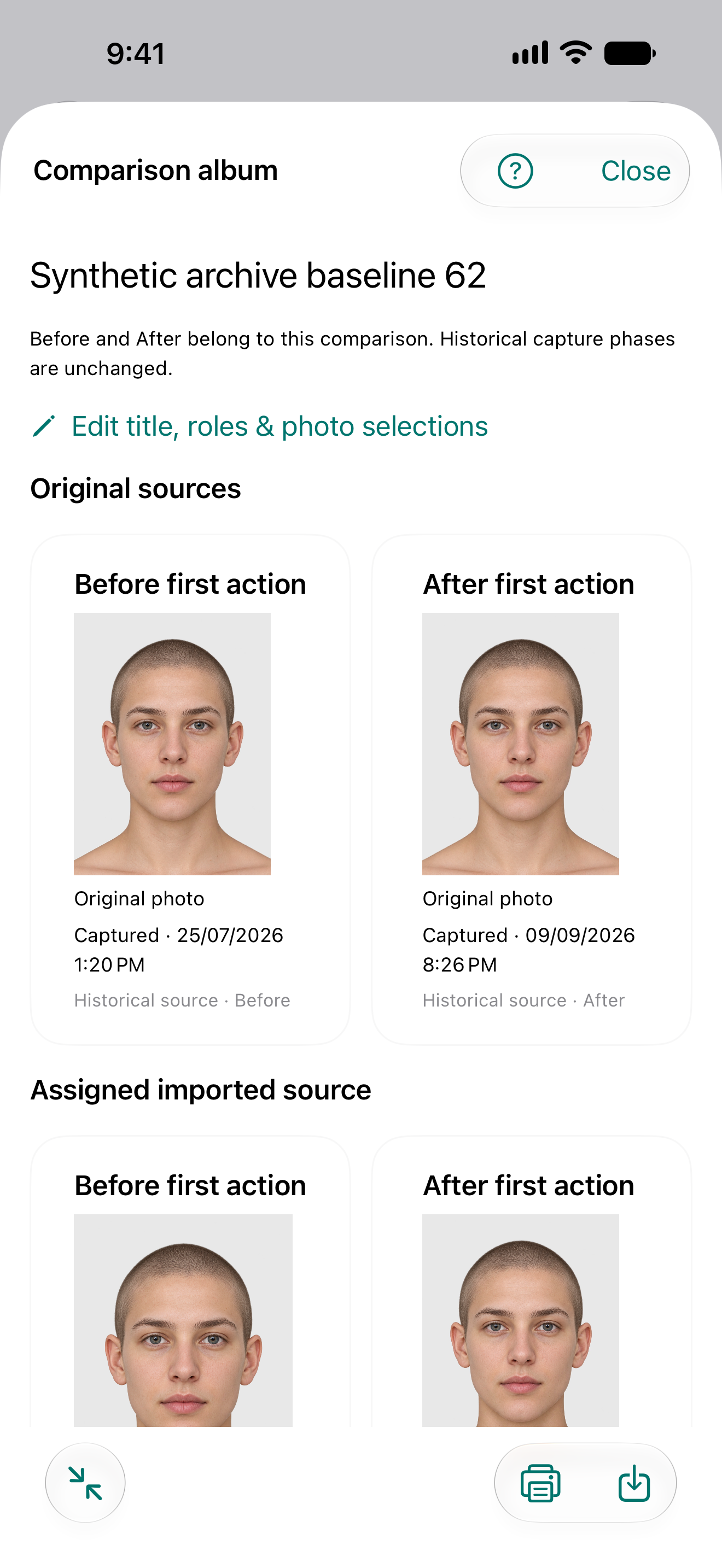
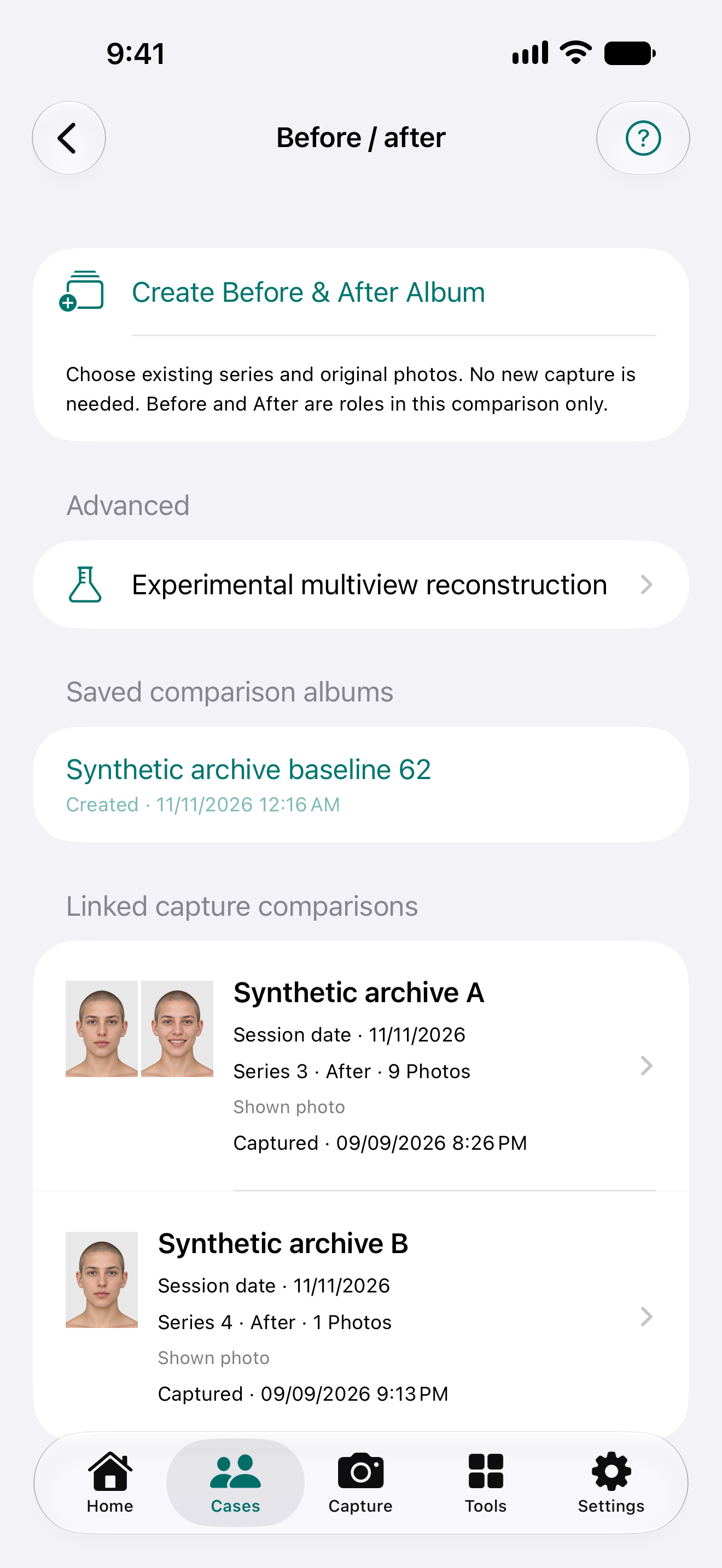
87.17 experimental · real Simulator UI · synthetic dataOverview of a saved before/after album with paired synthetic images; no treatment result is shown.87.17 experimental · real Simulator UI · synthetic dataSaved album list, album creation command and linked capture series, using synthetic cases.
Explore the capture idea
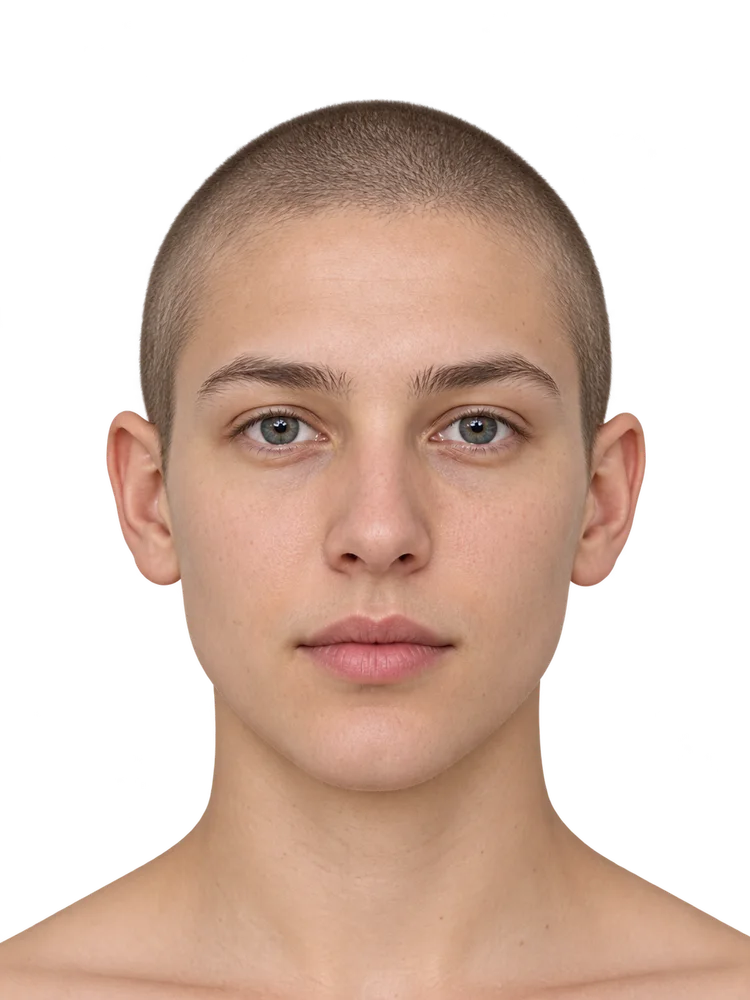
Fictional image for demonstration
Interactive website illustration using an existing synthetic adult model. This is not an app screenshot, a patient photograph, a camera test or a treatment result. No after-treatment outcome is shown.Actual development simulator screens
Actual simulator screens from Next 0.40 (87.3), a development preview, using synthetic DEMO data. They do not show the owner-installed 87.18 or a live camera test.
Simple mode · EnglishFull mode · English
iPhone companion
Guided photography
Face and neck, torso, upper and lower limbs, hands and procedure-specific expression views in the iPhone app.
2D photo matching
Match a pair automatically or adjust it manually with uniform scale, translation and optional rotation. Originals stay separate; this does not correct 3D perspective.
Presentation-ready exports
The iPhone app supports selected-photo PDF, before-and-after layouts, printing and optional physician branding.
NikoFrame is in development and evaluation. A public version is coming soon. NikoFrame Cloud is being prepared. Registration and public use are not active.
Synthetic model · demonstration only
NikoFrame Cloud
Coming soon
NikoFrame is in development and evaluation. A public version is coming soon. NikoFrame Cloud is being prepared. Registration and public use are not active.
01
Encrypted vault
NikoFrame Cloud is being prepared. Registration and public use are not active.
02
Photo & video archive
NikoFrame Cloud is being prepared. Registration and public use are not active.
What comes next
What comes next
Automatic native cloud sync and controlled sharing remain future goals. External-camera Multi-Camera, including Nikon D750, requires future feasibility work; it is not available compatibility. No release date is promised.
Coming soon
NikoFrame · coming soon
NikoFrame is in development and evaluation. A public version is coming soon.